
Orders are scattered across DMs, notebooks and spreadsheets.
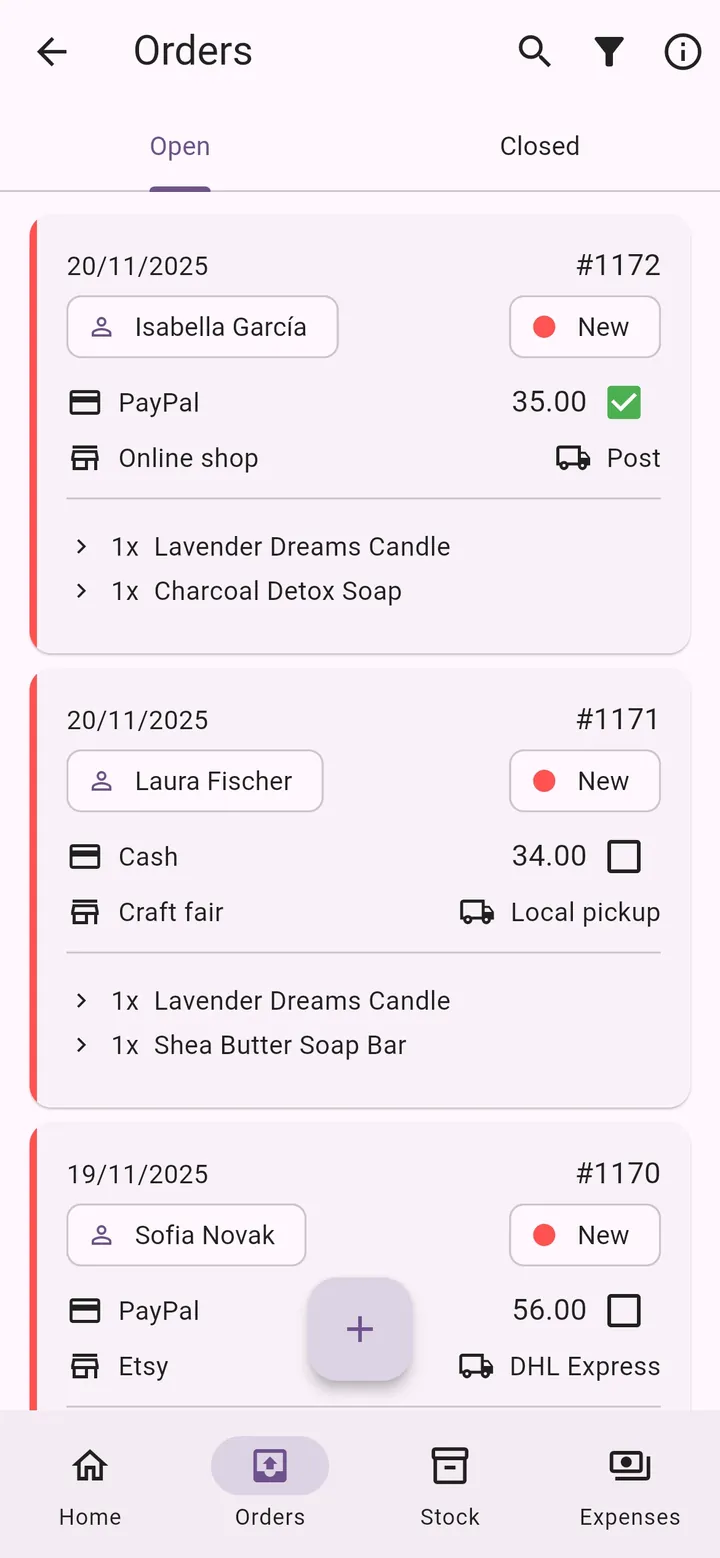
Every order in one list, with its status, payment and shipping.
For makers, crafters and small producers
Orders, customers, stock, material costs, expenses and profit — finally in one simple app, instead of notebooks, spreadsheets and chat messages.
Available in English, Serbian, Greek and Russian
Running a small business means doing everything yourself. My Little Business takes the busywork off your plate.
Orders are scattered across DMs, notebooks and spreadsheets.
Every order in one list, with its status, payment and shipping.
You're not sure what a product really costs you to make.
Build products from materials and see the material cost instantly.
You run out of materials right when a big order comes in.
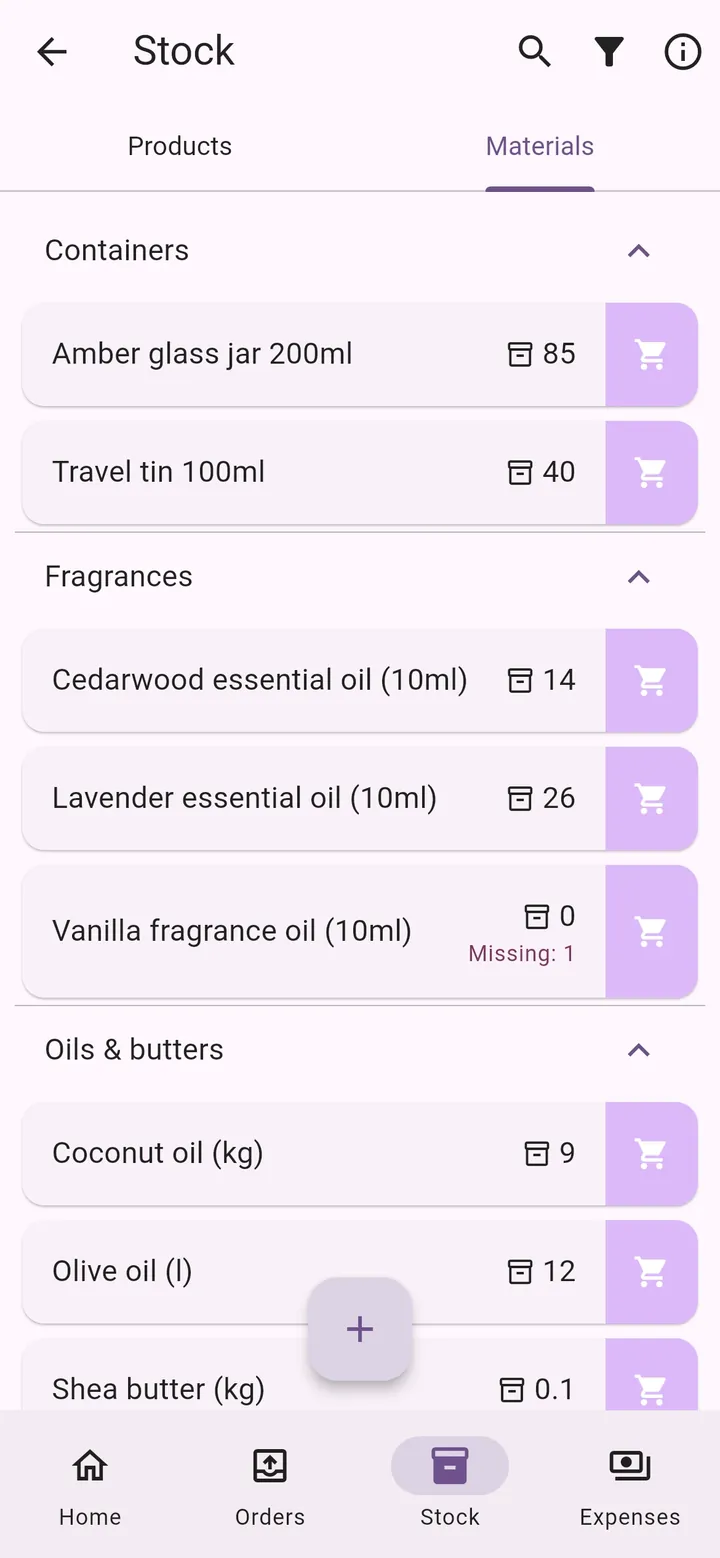
The app warns you what's missing for your open orders.
You work hard, but don't know if you're actually making money.
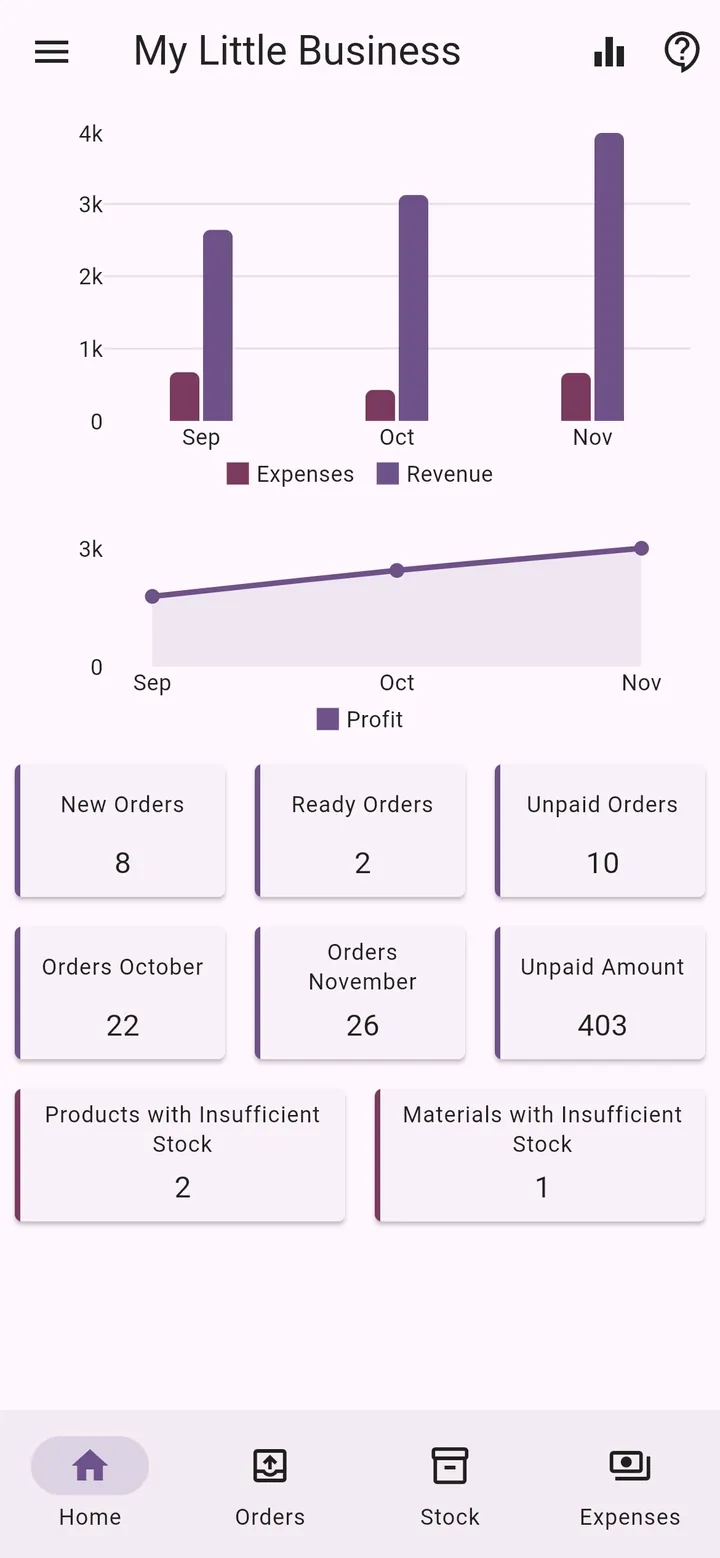
Revenue, expenses and profit, updated with every order.
One app that connects your orders, stock, costs and numbers — so updating one thing updates everything else.
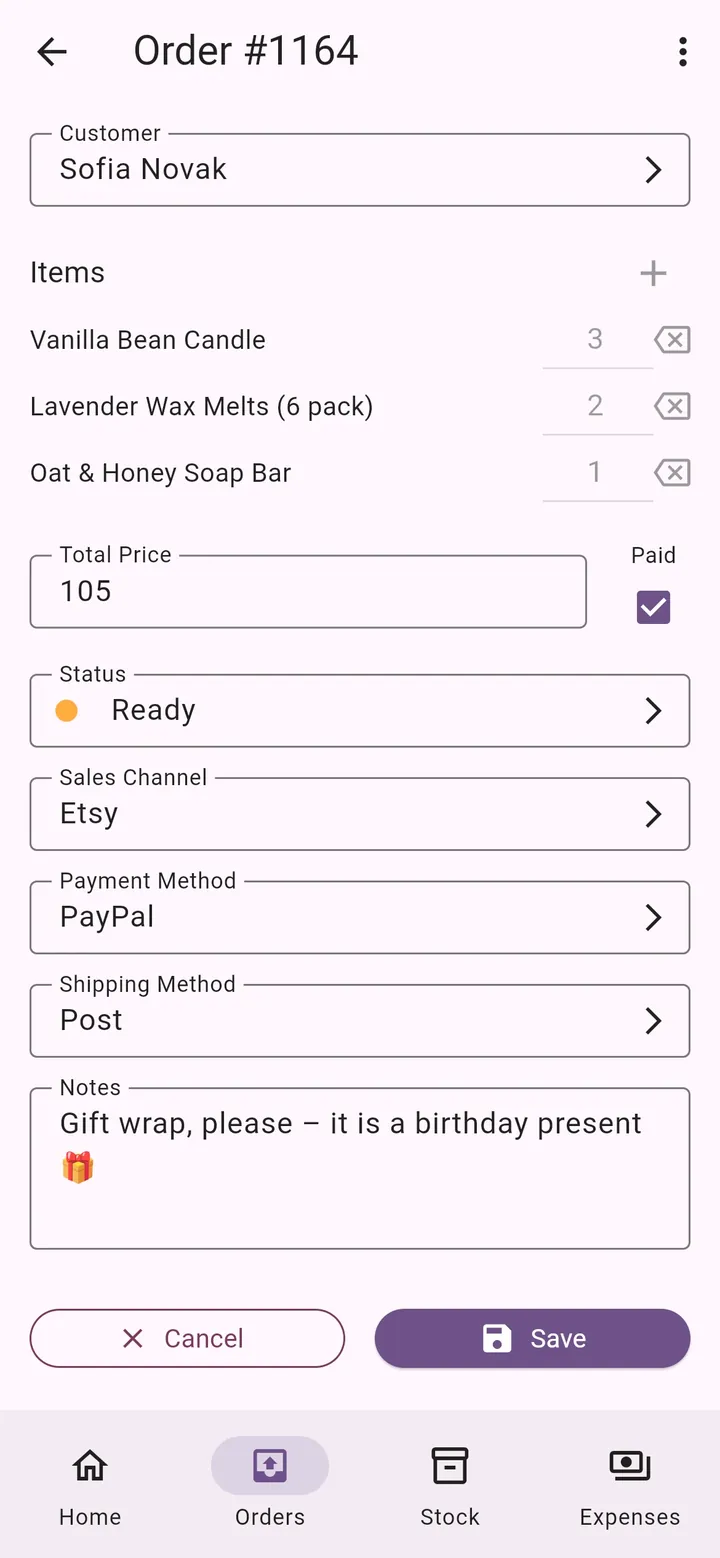
Track every order from New to Ready to Sent, and see who still has to pay.
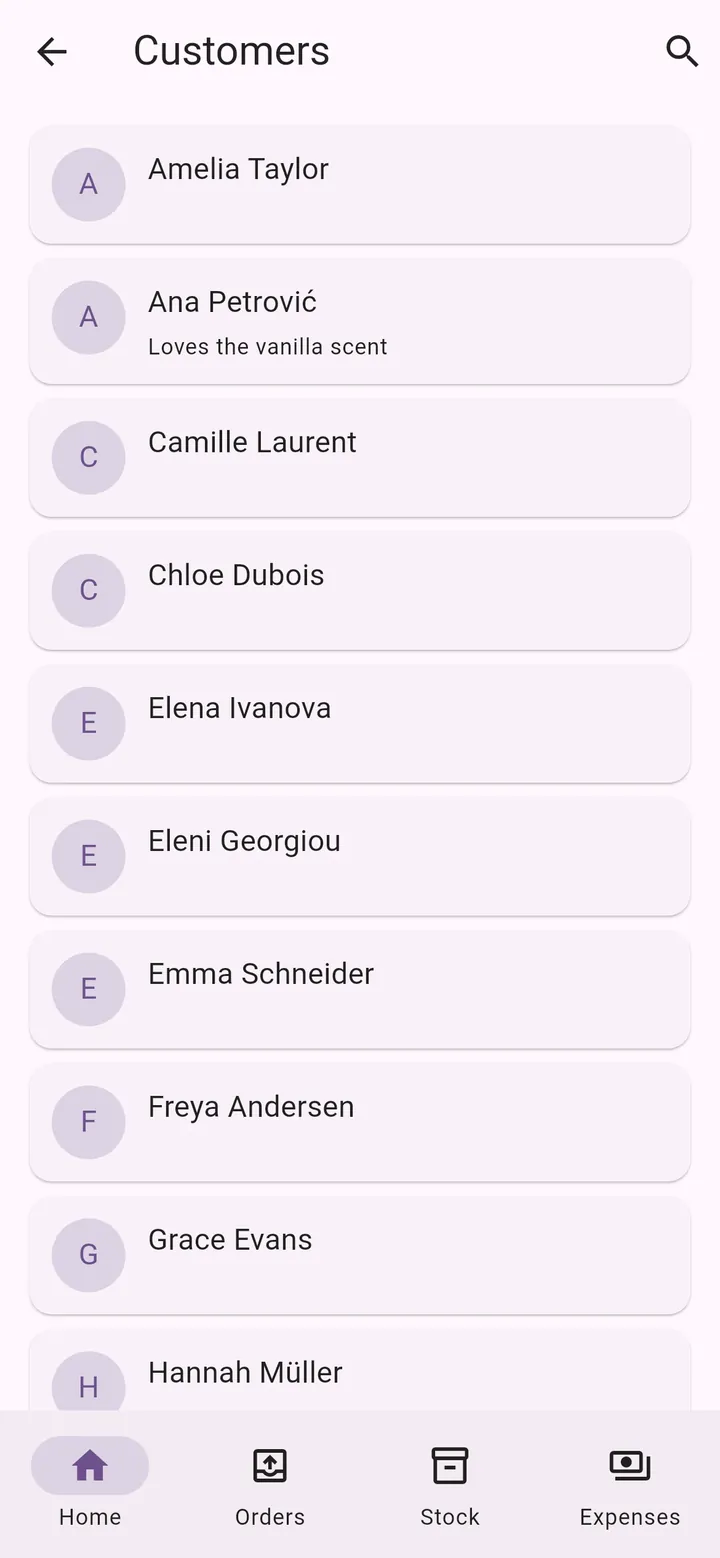
Contacts, addresses, countries and notes. Call, email or open the map in one tap.
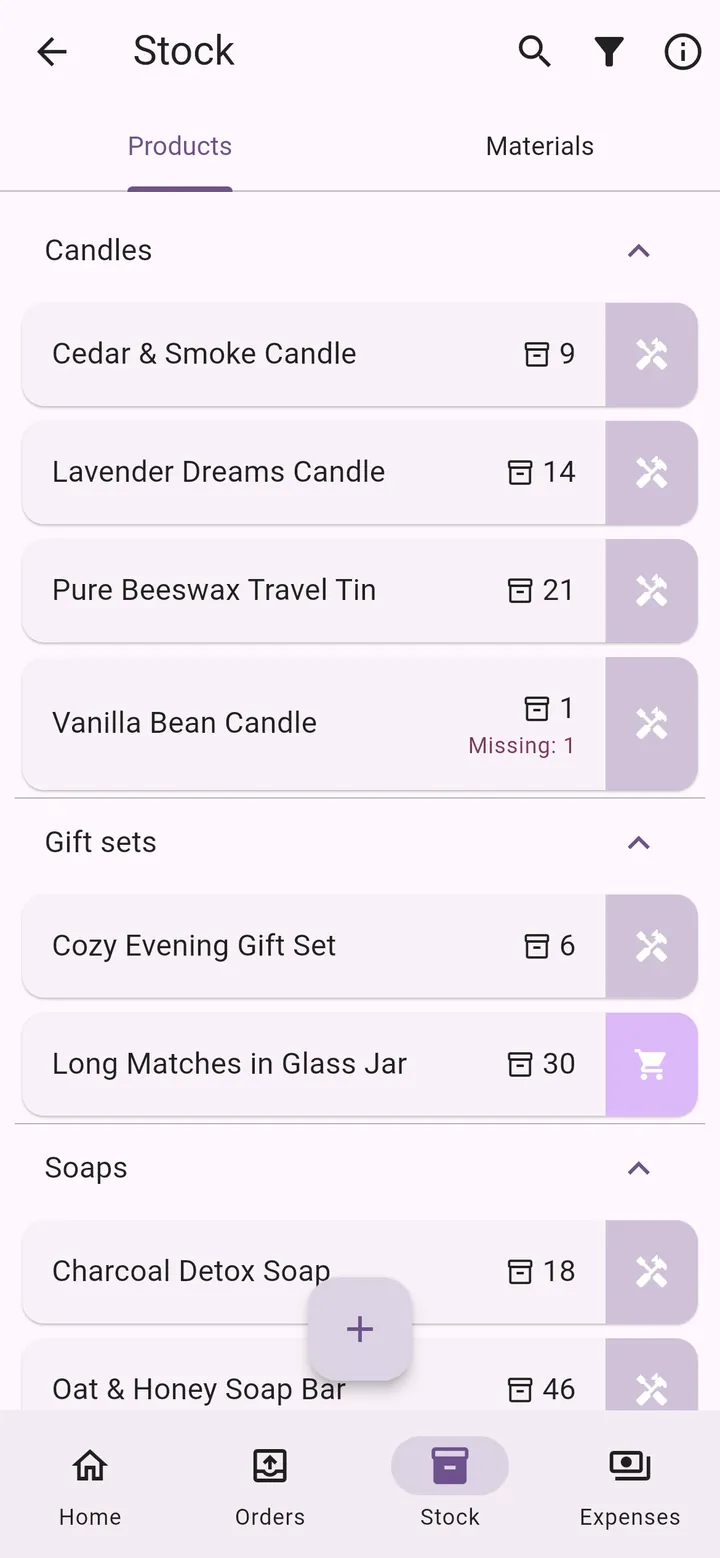
Products and materials in groups you define, with low-stock warnings.
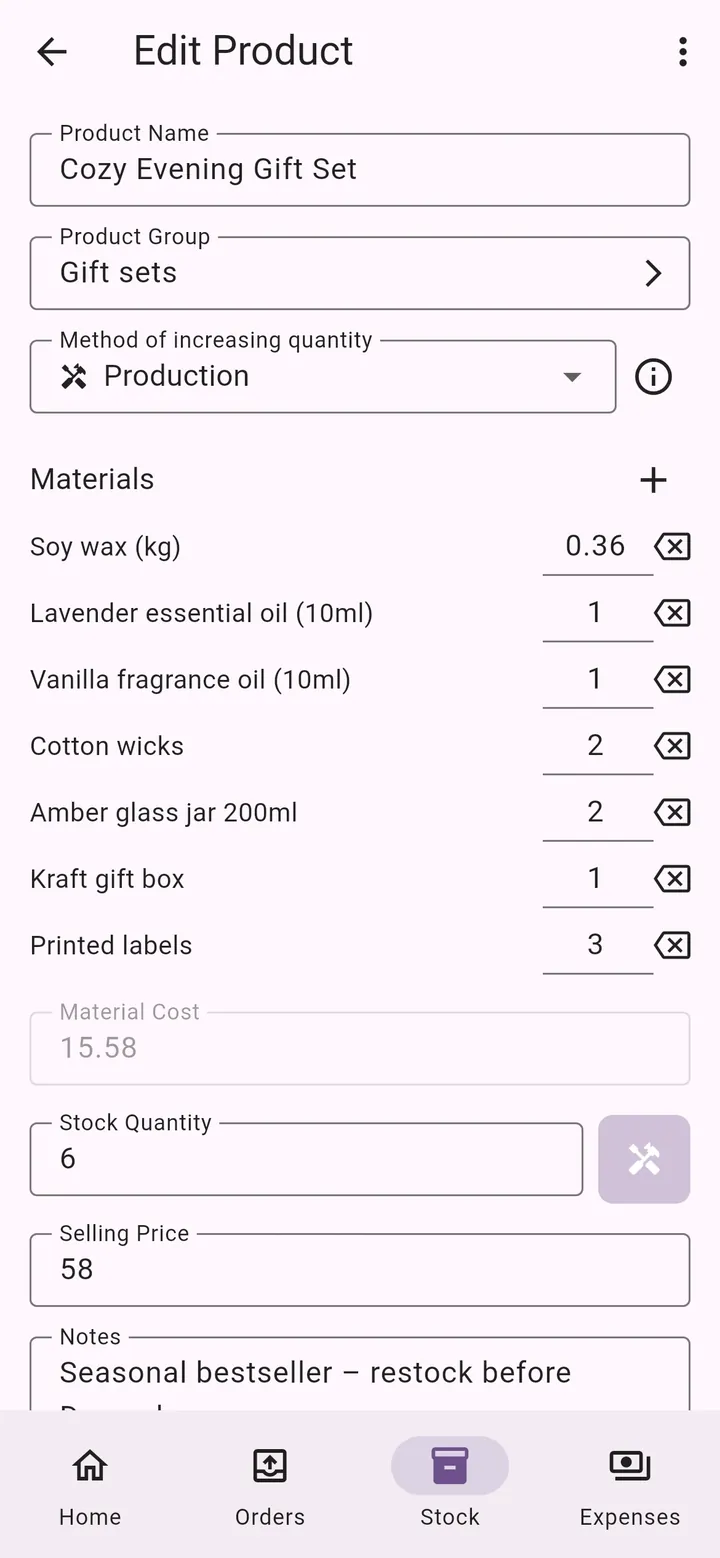
Make products from materials — the materials are deducted from stock automatically.
Buy materials or goods and the cost is recorded as an expense automatically.
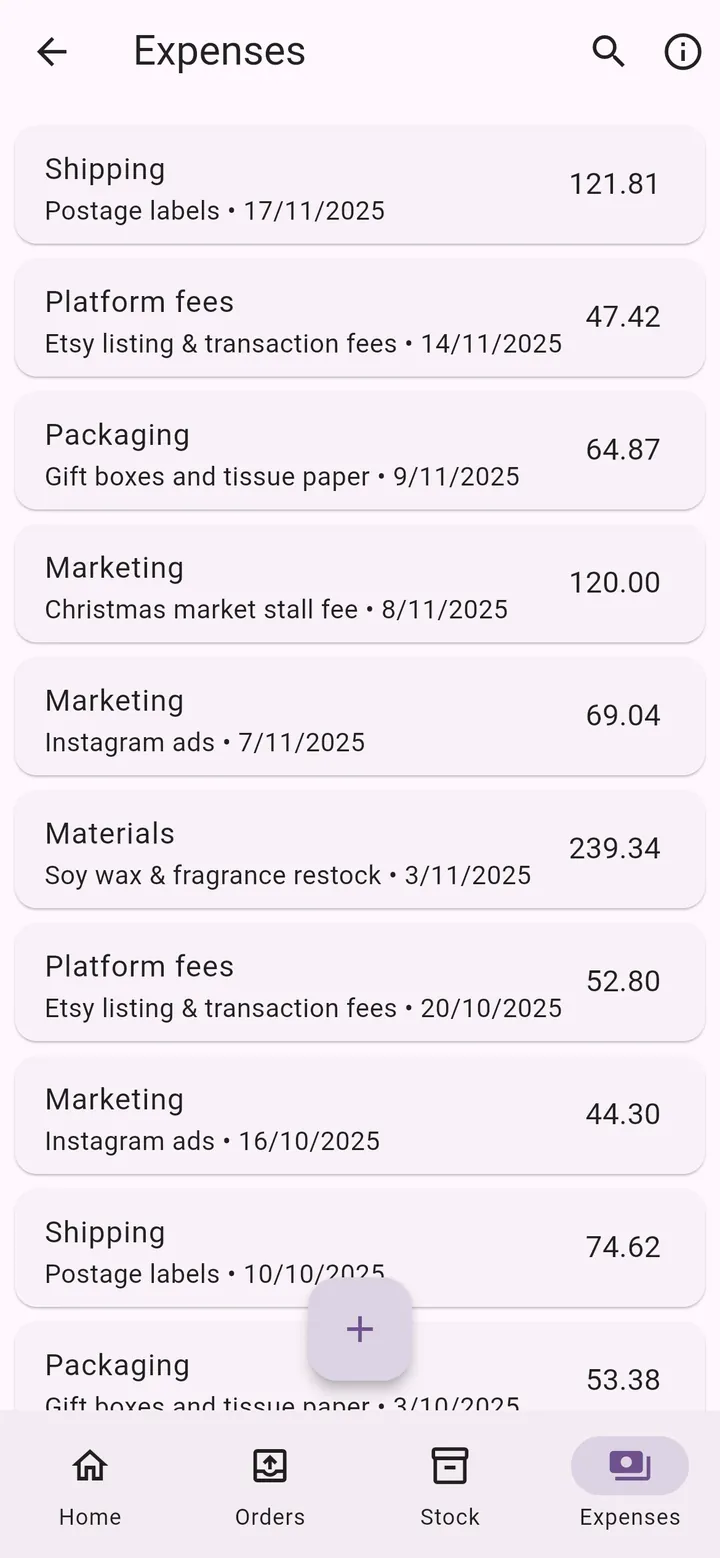
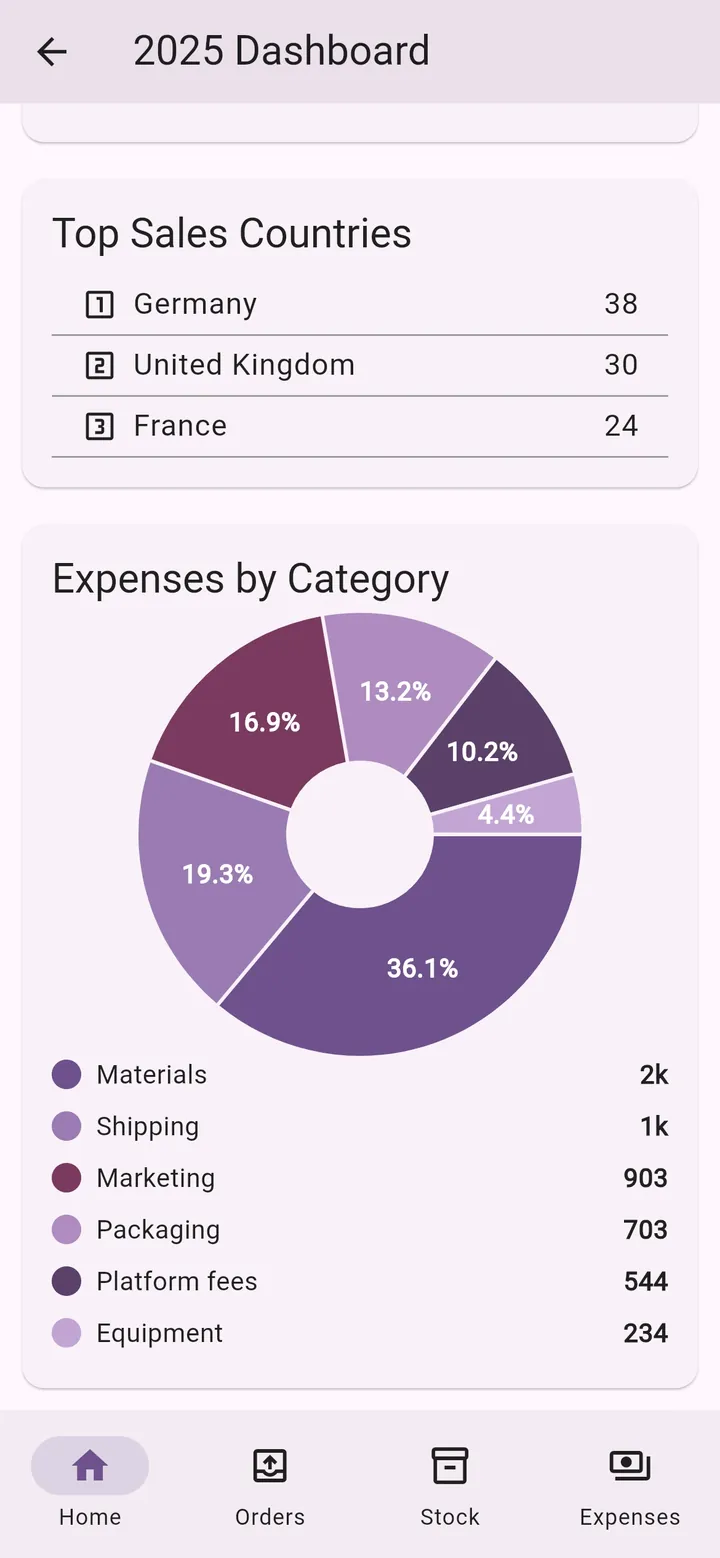
All other costs — packaging, shipping, ads, fees — in your own categories.
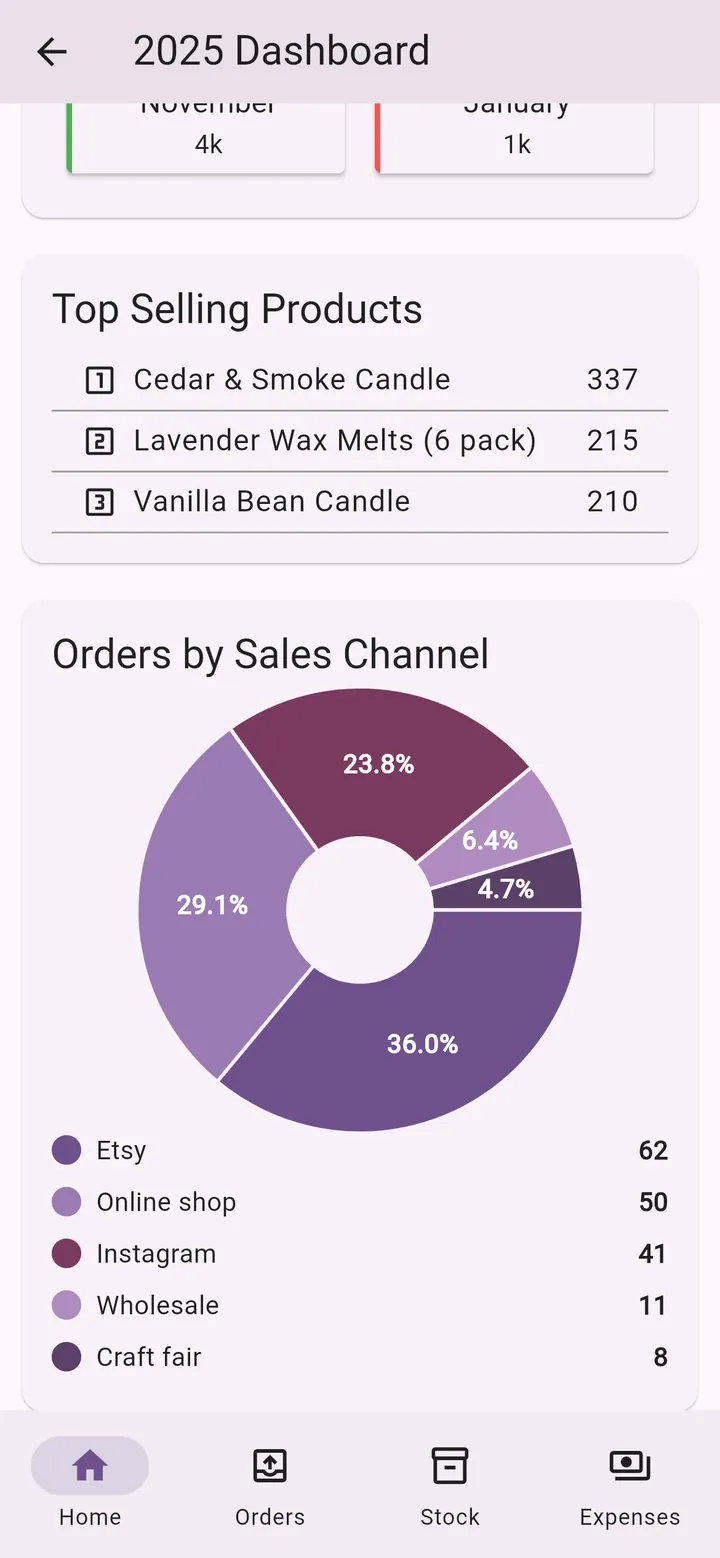
Monthly revenue, expenses and profit, best months, top products and channels.
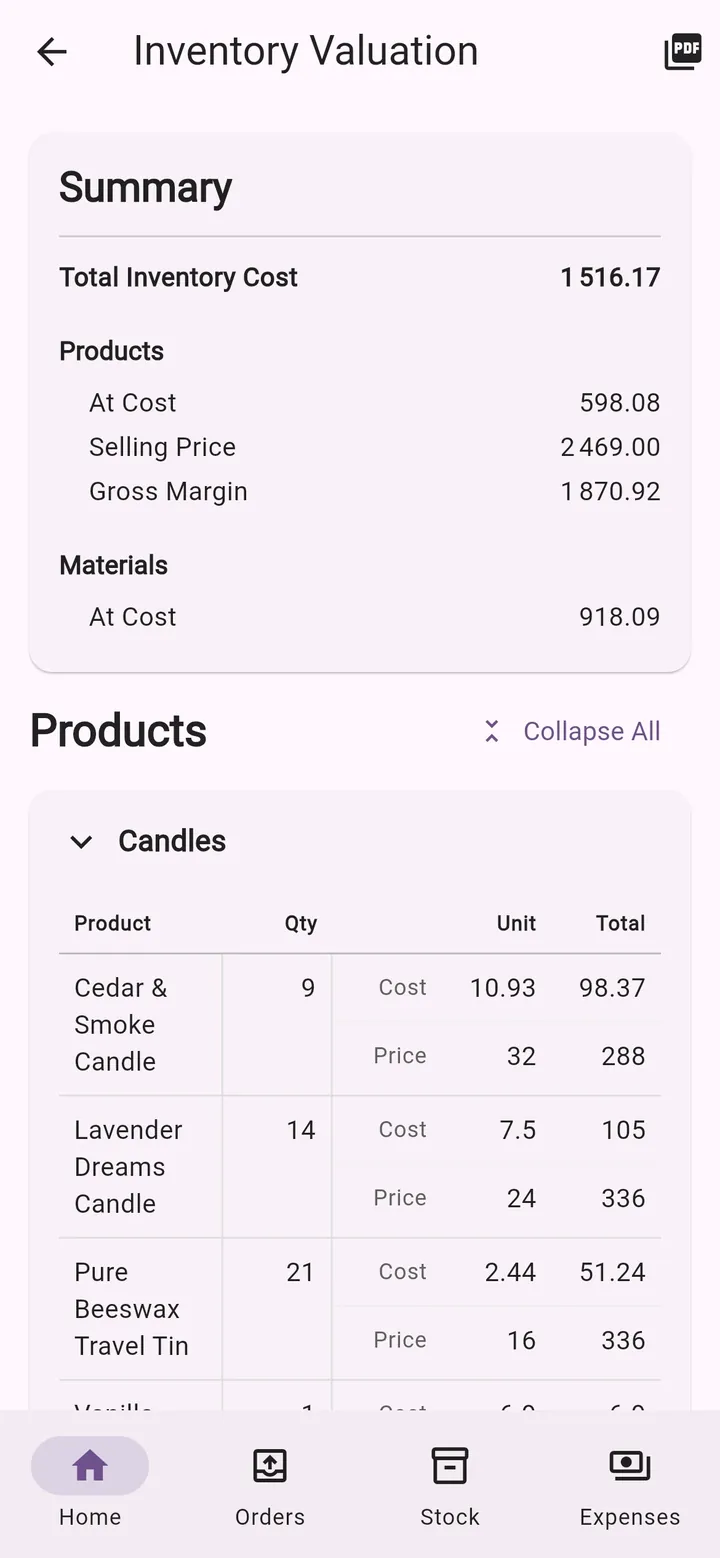
What your stock is worth at cost and at selling price — export it as a PDF.
Export orders, stock and expenses to Excel for your accountant or your own analysis.
Sign in with Google or Apple. Your data is backed up and on all your devices.
Use the app in English, Serbian, Greek or Russian.
No accounting jargon and no training needed — made for makers, not accountants.
Orders
Whether orders come from Etsy, Instagram, your online shop or a craft fair, they all land in one clear list. You always know what to make next, what to ship and who still owes you money.
Stock & production
Keep finished products and raw materials in one place. Describe what each product is made of, and My Little Business works out the material cost and keeps your stock up to date.
Procurement & expenses
When you buy materials, record them as a procurement: your stock goes up and the cost is saved as an expense in the same step. Everything else — packaging, postage, ads, platform fees — goes into your own expense categories.
Customers
Save customers once and pick them when you create an order. Their details are always at hand when it's time to ship or follow up.
Dashboard & reports
The home screen shows revenue, expenses and profit for the last three months, plus what needs your attention today. The yearly dashboard tells you what sells best and where your money goes.
Inventory valuation & export
Find out what your stock is worth — at cost and at selling price — and the margin you can expect. Share the report as a PDF, or export your orders, stock and expenses to Excel.
No setup wizard, no training. Three steps and your business is organised.
Enter the materials you use and what you paid for them — wax, fabric, beads, packaging…
Add what you sell and, if you make it yourself, which materials go into it.
Enter orders as they come in. Stock, costs and charts update automatically.
Tip: start with just your orders. You can add stock and costs later, whenever you're ready.
Real screens from the app, with a demo shop of handmade candles and soaps.
Home screen
Orders
Order details
Product stock
Product made from materials
Materials
Expenses
Customers
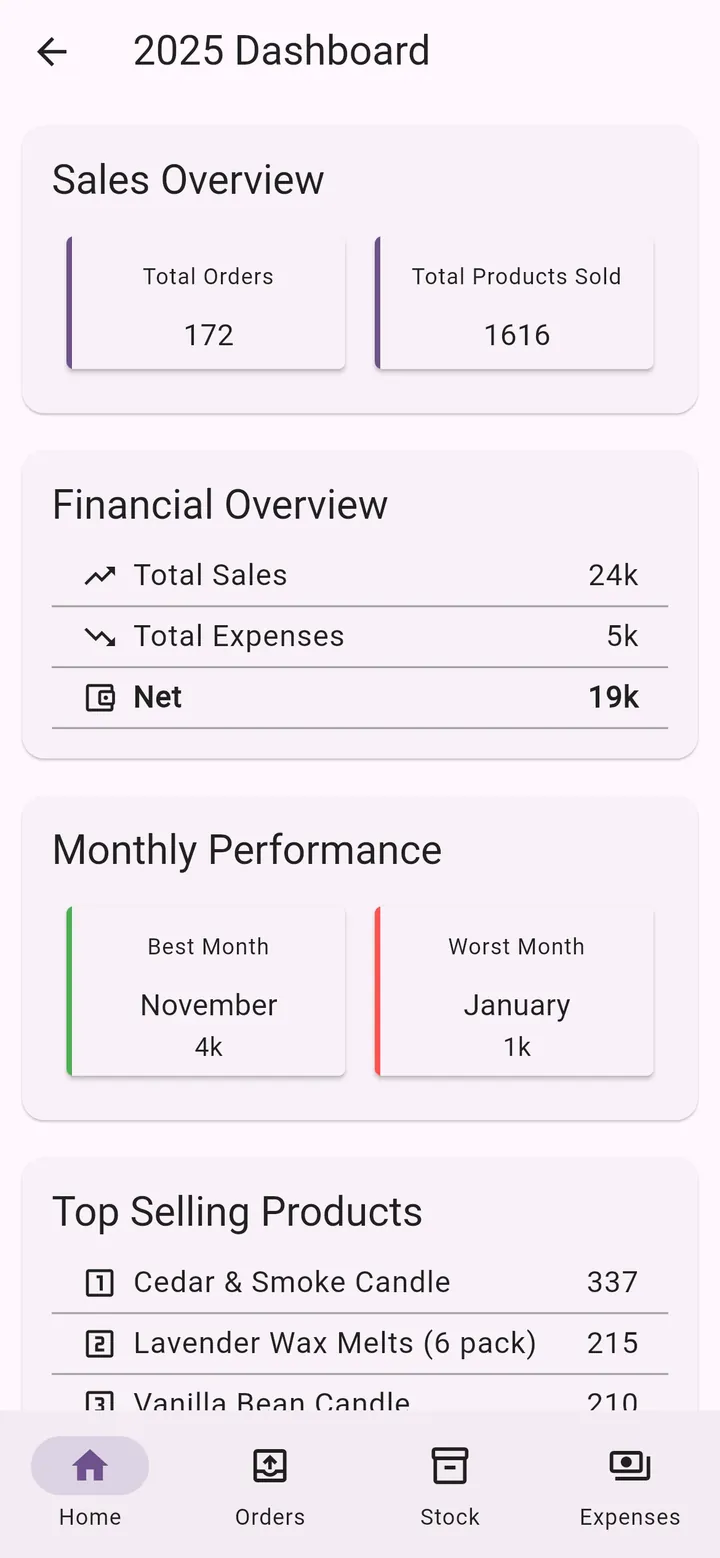
Yearly dashboard
Sales channels
Countries & expenses
Inventory valuation
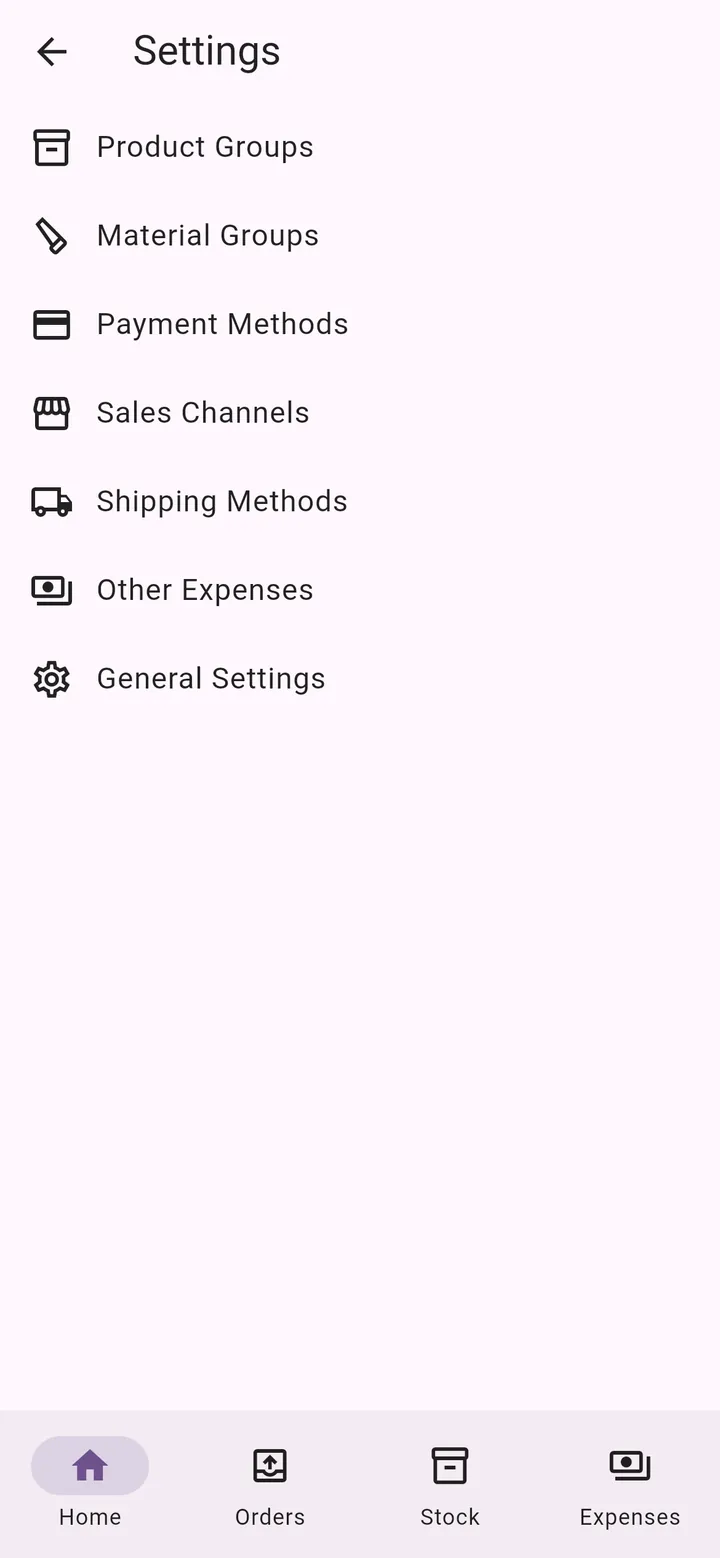
Your own lists
Start with a 14-day free trial. No credit card needed.
€7.99/ month
Flexible, cancel anytime
14 days free
Start free trialSave 27%
€69.99/ year
That's just €5.83 a month
14 days free
Start free trialPrices may vary slightly by country because of local currency and taxes. You're only charged after the free trial ends. Cancel anytime in the App Store or Google Play — cancelling during the trial costs nothing. The subscription renews automatically unless cancelled. No hidden fees.
Yes. You get 14 days with access to all features. No credit card is needed to start the trial.
€7.99 per month or €69.99 per year (save 27%). Both plans include every feature. Prices may vary slightly by country because of local currency and taxes.
My Little Business is available for iPhone on the App Store and for Android phones on Google Play.
Yes. Sign in with the same Google or Apple account and your data is synced between your devices.
Your data is stored securely in Google's Firebase cloud and linked only to your account, so it's backed up even if you lose your phone. You can export it or delete your account at any time. See our Privacy Policy for details.
For makers, crafters and small producers who make or resell physical products — candles, soap, cosmetics, jewelry, ceramics, clothing, woodwork, cakes, gifts and much more.
Yes. You define your own sales channels, payment methods and shipping methods. The dashboard then shows which channels bring you the most orders.
Yes. Amounts are entered as plain numbers, so you can use any currency.
Yes. Export your orders, stock and expenses to an Excel file, and the inventory valuation report to PDF.
English, Serbian, Greek and Russian. You can switch language anytime in the app.
Subscriptions are managed by Apple or Google. Cancel anytime in the App Store or Google Play subscription settings — the app has a shortcut under My Account. Cancelling during the free trial costs nothing.
Yes. Under My Account you can permanently delete your account and all your data. Note that this does not cancel an active subscription — cancel it separately in the App Store or Google Play.
My Little Business was born from the real needs of makers who run their businesses on their own — making, selling, packing and doing the books, all at once.
Our mission is simple: to help small businesses, especially artisans, organise and track their work more easily, so they can spend less time on paperwork and more time creating.
Many features in the app started as a suggestion from a user. Missing something? Tell us — right from the app or by email.
Download My Little Business and try every feature free for 14 days.
No credit card needed · Cancel anytime